
Your Quran classes, in your pocket.
The Quran Interactive app brings your family's one-to-one classes to your phone: join with one tap, get reminded before every lesson, message your teacher and follow each child's progress.
Both apps are with Apple and Google for review. The buttons go live the day they are approved.
New here? Book your two free classes →

The teacher teaches. The app clears the way.
Learning the Quran has always depended on a teacher who listens and corrects. Nothing replaces that. What gets in the way is everything around it: forgotten times, missed lessons, no way to revise, no idea what was covered. That is the part the app takes care of.
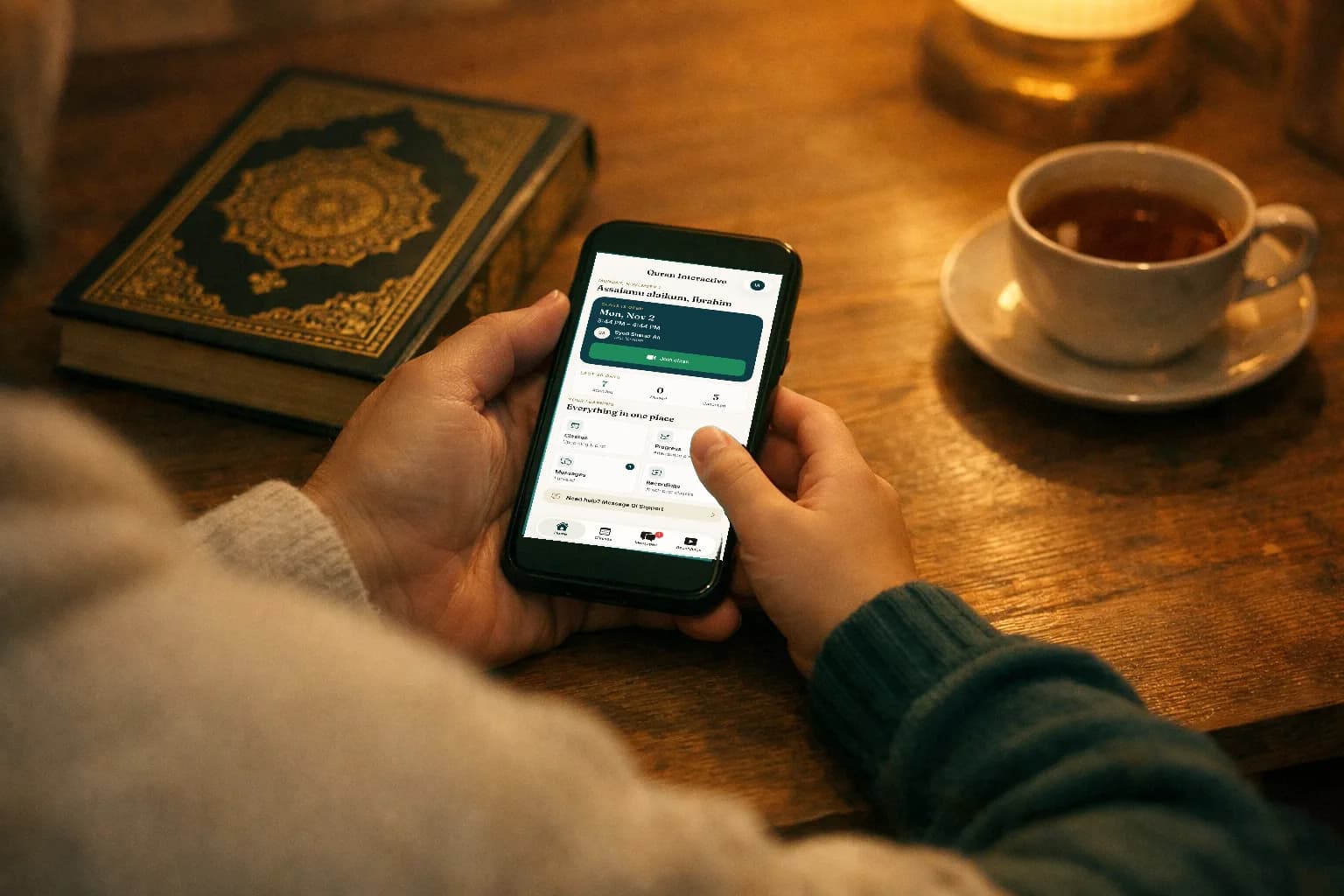
Learning that fits around family life, not the other way round.
From your pocket to your class
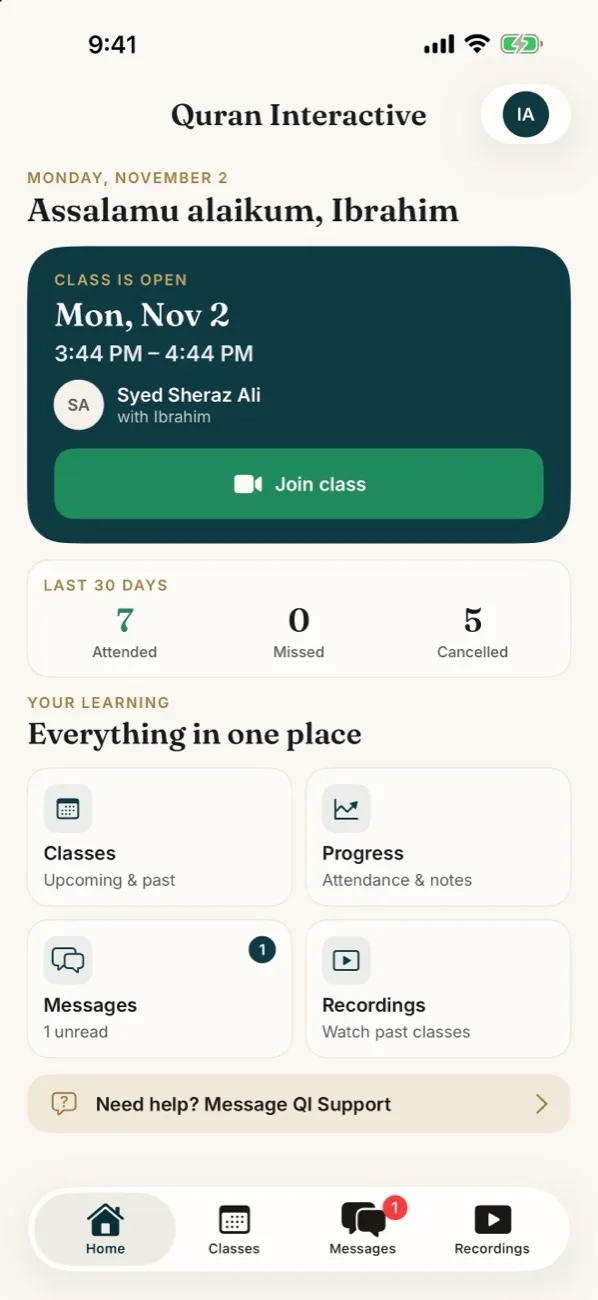
Your next class sits on the home screen with a countdown. Five minutes before it starts, Join lights up and opens the lesson in Zoom.
No class quietly missed
A notification the day before and another within the hour, so a busy week never swallows a lesson.
Revise what was taught
Every completed class can be watched again for 30 days. Recitation is learned by hearing it, more than once.
Progress you can see
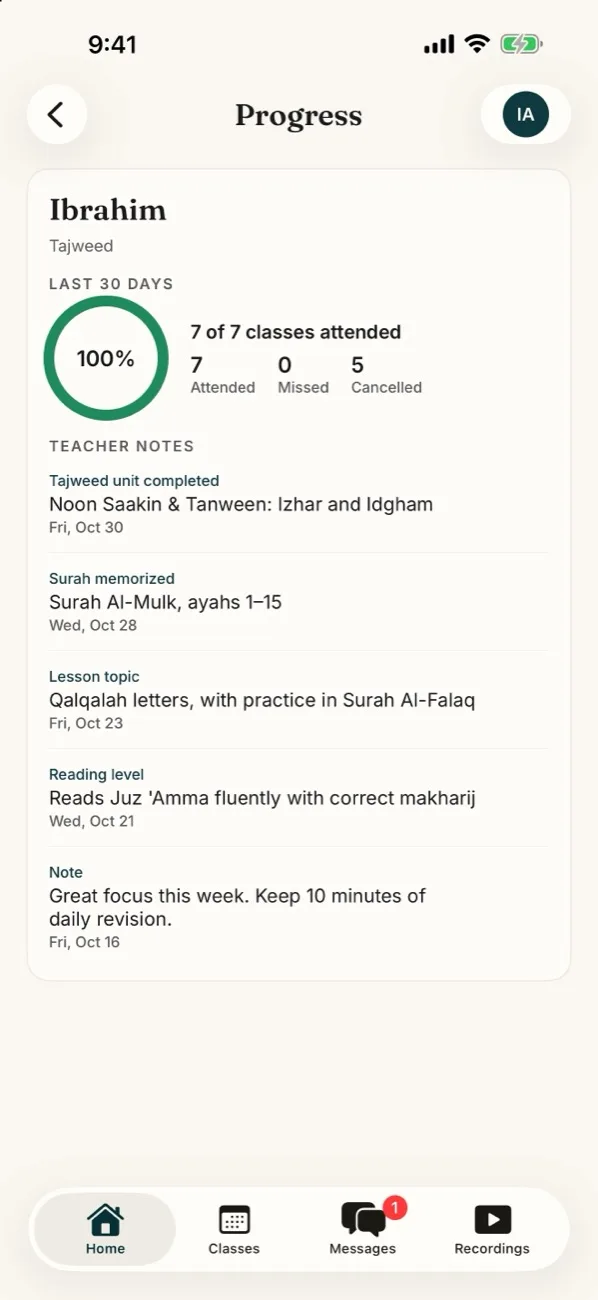
Attendance for the last 30 days and the teacher's notes after lessons: the surah memorized, the tajweed rule finished.
Everything a family needs, nothing it doesn't.
Real screens from the app, not mock-ups. Scroll through a family's week.
iPhone · real screen from the app
- 01 · Home
Your next class, front and centre.
Open the app and the first thing you see is when the next lesson is, who is teaching, and a Join button the moment class opens.
- Live countdown to the next class
- Join opens the lesson in Zoom
- Last 30 days of attendance at a glance
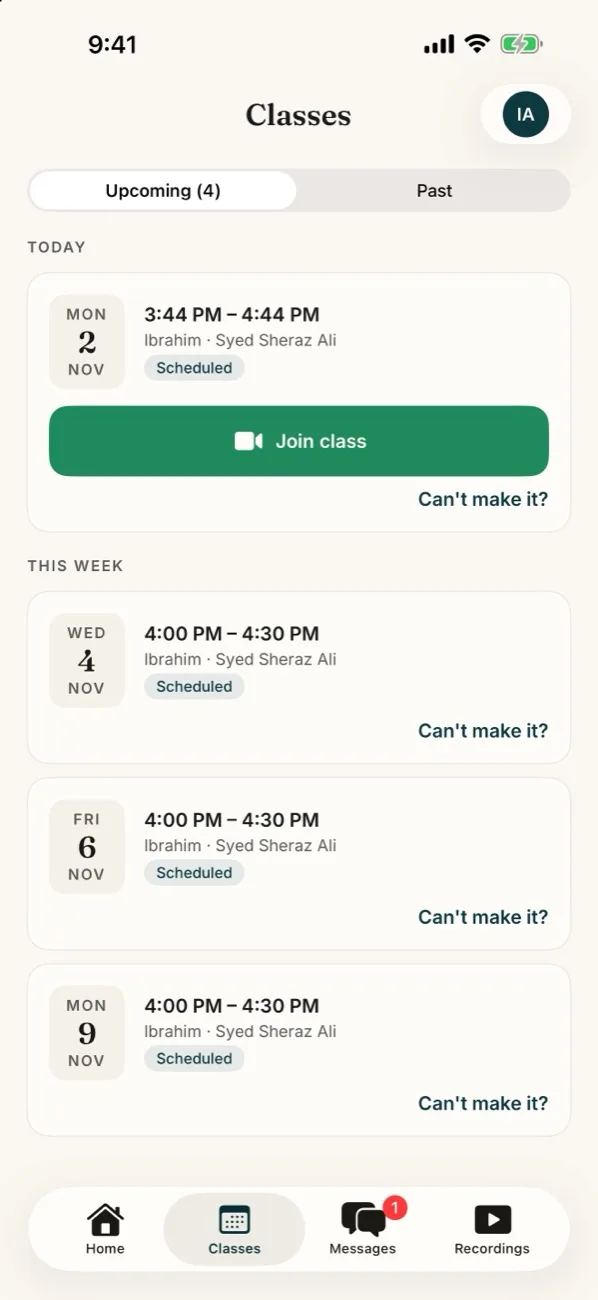
- 02 · Classes
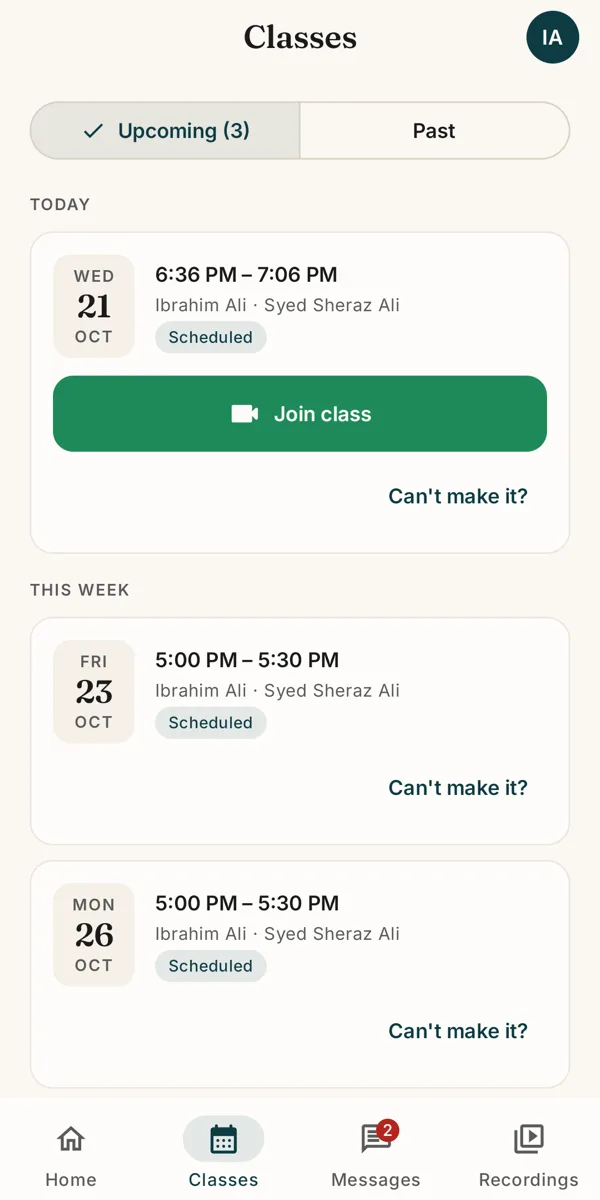
Your whole week, in your time zone.
Upcoming and past classes, each in your own local time. Plans change; when they do, it takes a few taps instead of a phone call.
- Ask to move a class to another open time
- Tell your teacher you can't make it
- Past classes with their recordings
- 03 · Progress
See the learning, not just the attendance.
Teachers note what each lesson covered. Parents see it the same day, so practice at home matches what was taught.
- Attendance over the last 30 days
- Surahs memorized and tajweed units completed
- Notes for each child
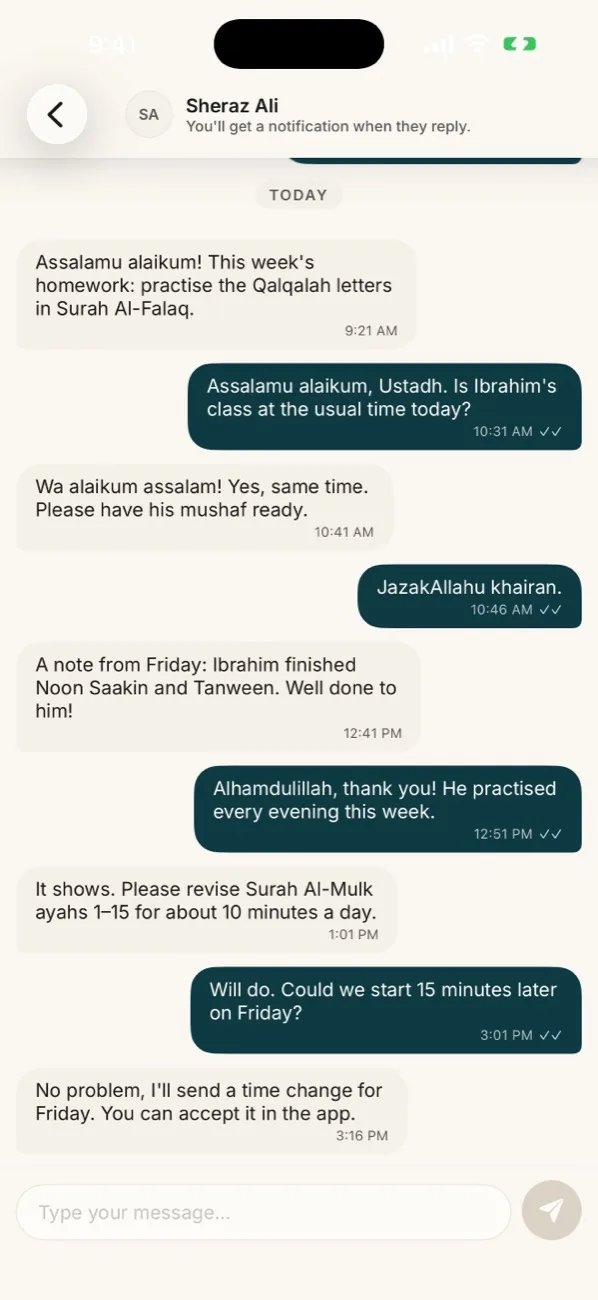
- 04 · Messages
Your teacher, one message away.
Chat with your child's teacher or with QI Support, like any messaging app, with a notification when they reply.
- Private: just your family, your teacher and QI Support
- Homework and practice notes in one place
- Notifications never show the message itself
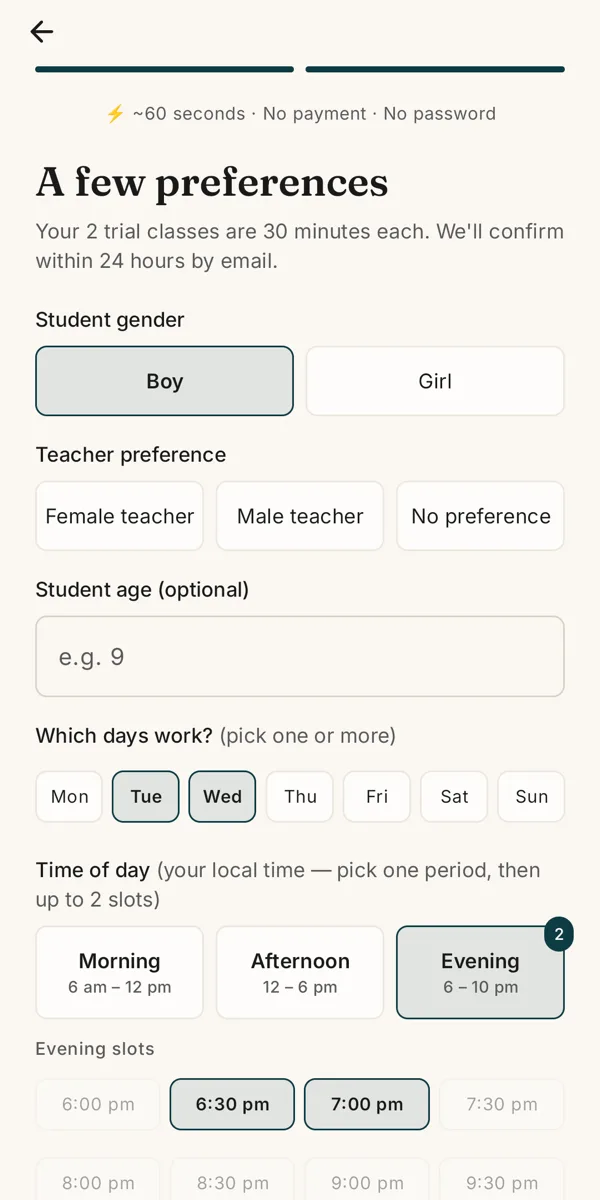
- 05 · Free trial
Start with two free classes.
New to Quran Interactive? Request your free trial right in the app. Pick the course, the days and the times that suit you.
- About 60 seconds, no payment details
- Choose a male or female teacher
- Times shown in your own time zone
From reminder to revision.
What the app does around a single 30-minute lesson.
- 1The day before
Class tomorrow
A reminder with the time and your teacher's name.
- 2Within the hour
Class starts within the hour
Join from the app 5 minutes before it starts.
- 3Class time
One-to-one with your teacher
30 minutes of undivided attention, over Zoom.
- 4Afterwards
A class recording is ready
Watch it in the app for the next 30 days, alongside the teacher's notes.
Made for parents. Safe for children.
Children learn the Quran here. The app was designed around that from the first line.
Parent-managed
The account is yours. Children learn under it, with no logins of their own.
No ads, no tracking
No advertising, analytics or tracking code anywhere in the app.
Private notifications
Lock-screen alerts never show a child's name or what a message says.
Yours to delete
Delete your account and data from inside the app at any time.
Details in our privacy policy.
The same app runs the teacher's day.
Instructors sign in to the same app and see their own side of it: today's classes, trials to confirm, time-change requests to answer, progress notes to record and messages from the families they teach.
- Start each class with one tap
- Record progress notes after the lesson
- Approve or decline time changes
- Message families, without sharing contact details
One app, both phones, one account.
Sign in with the same email and password you use on the website. Your classes, messages and progress are already there.
Both apps are with Apple and Google for review. The buttons go live the day they are approved.
- iPhone
- iOS 17 or later
- Android
- Android 8.0 or later

About the app
Is the app free?
Do I need the app to take classes?
How does a class run on a phone?
Does my child need their own account?
Which phones does it work on?
When can I download it?
What does the app collect?

Start with two free classes.
Book your free trial on the website today. When the app arrives in your store, sign in and everything is waiting for you.
Both apps are with Apple and Google for review. The buttons go live the day they are approved.