
From free trial request to your first class.
Three steps, and the whole thing is usually done the same day. Here is exactly what happens at each one, and what we do in between.
Request your free trial
About a minuteTell us who is learning, what they want to learn, and when you are free.
- Pick a course — Noorani Qaida, Quran Reading, Tajweed, Hifz, Translation & Tafseer, Arabic, or Islamic Studies. If you are not sure, choose the closest and your teacher will assess the right level in the first class.
- Tell us the student's name and age, and whether you would prefer a male or female teacher. Four of our instructors are female, and a preference for your daughter is always honoured.
- Choose the days and the time of day that suit you. We match against real instructor availability in your own time zone, so the times you pick are the times we work from.
- No payment, no card details, nothing to download.
Set up your account
Under a minuteConfirm your email and choose a password. This is the step that lets us schedule your classes.
- Right after the form you will be asked to finish setting up your account, using the same email you booked with. It is one screen: confirm the email, set a password.
- This is not paperwork. Until the account exists there is nowhere to put your class — no schedule to send you, no join button, no recordings, and no way for your teacher to reach you. It is the step that turns your request into a booking.
- If you close the tab before finishing, nothing is lost. Your trial request is held and we email you a link to pick up where you left off. You can also reply to any of our messages and a real person will finish it with you.
- Already have an account with us? Then you are done at step 1 — sign in and your request is already there.
Get your class details
Within 24 hoursWe match a qualified teacher to the times you asked for, and everything appears on your dashboard.
- A real person does the matching — your requested days and times against instructor availability in your time zone. You get an email when it is confirmed, with the day, the time and your teacher's name.
- From then on your dashboard is where everything lives: your next class with a join button, your class history, your child's progress, recordings of past classes, and a direct line to the teacher.
- Class runs inside your browser. Nothing to install, no separate Zoom account, no meeting IDs to copy.
- Two free 30-minute classes. After them you decide whether to continue — no card is held and nothing renews on its own.
What step 3 actually looks like.
Once your account is set up, this is where your family's classes live. Real screens from the parent portal.
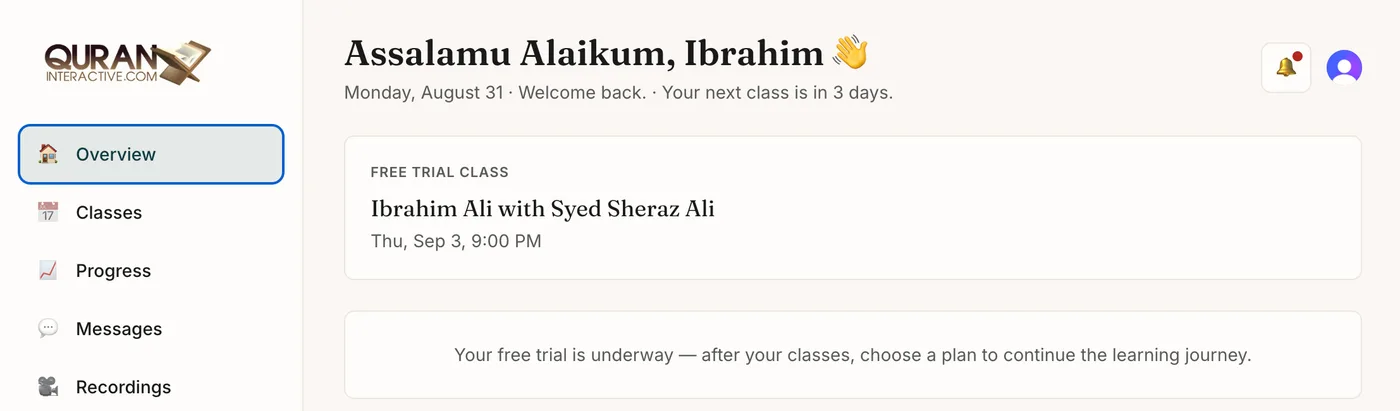
Your next class, first thing
The teacher, the day and the time — with a join button when class is due. No hunting through email for a meeting link.
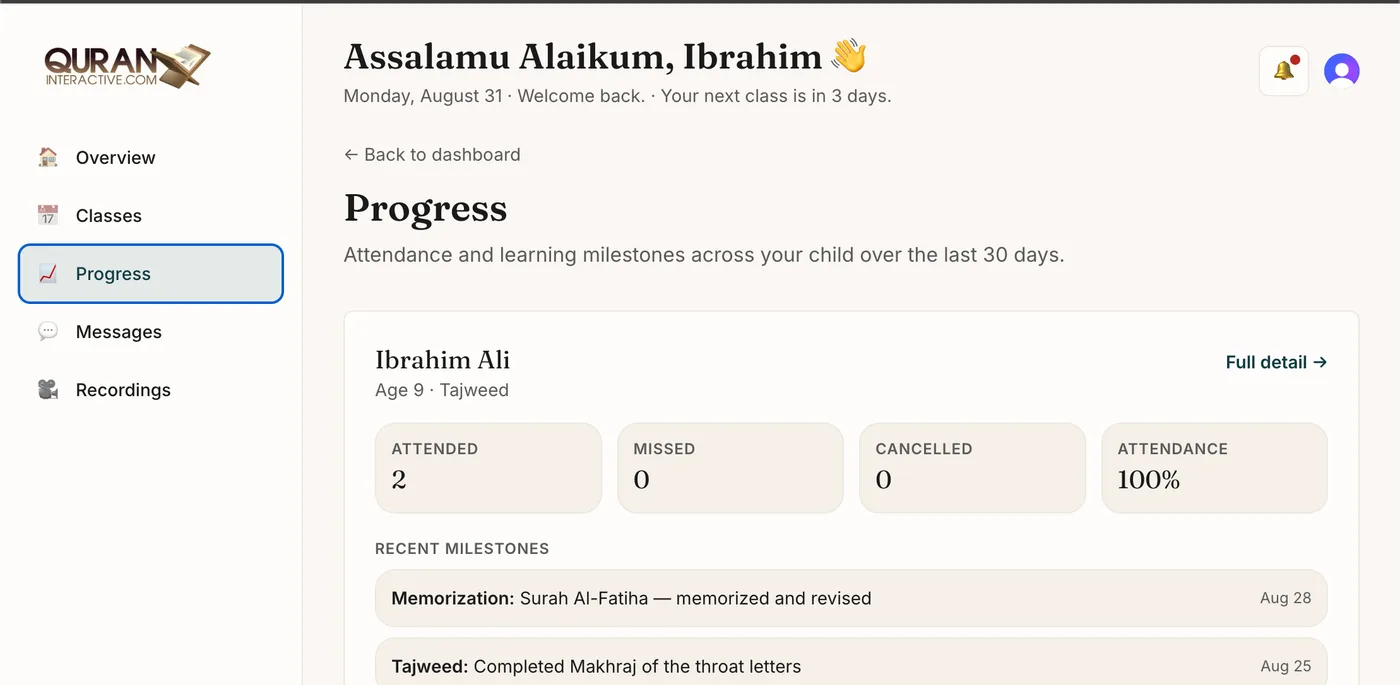
Progress you can actually see
Attendance at a glance, and the milestones your teacher records after each class — Tajweed units covered, surahs memorised and revised.
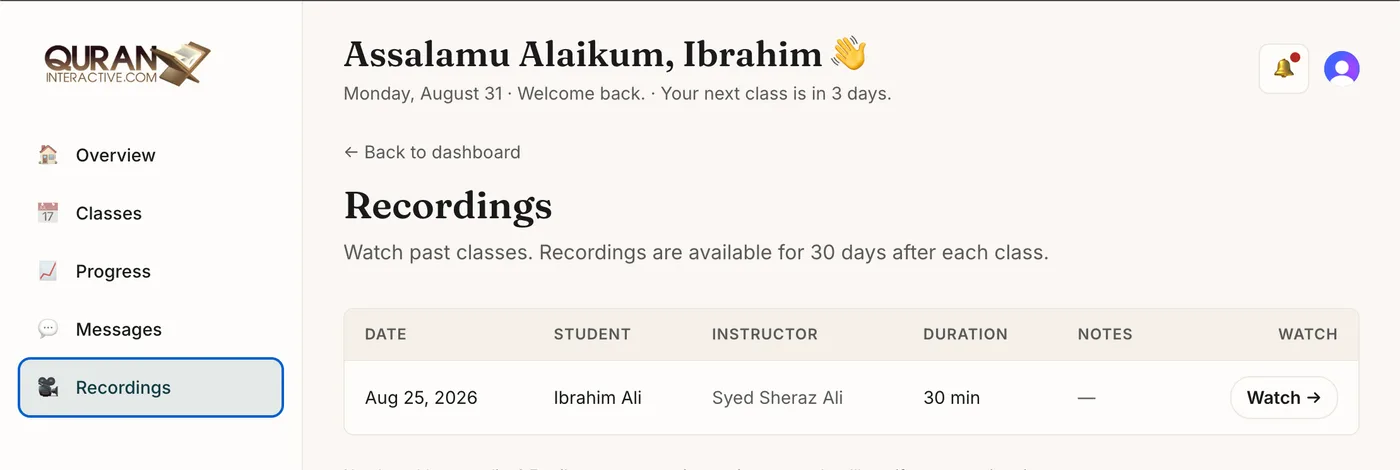
Every class recorded
Child classes are recorded by default for safety. They are private to your family, watchable from the dashboard, and deleted automatically after 30 days.
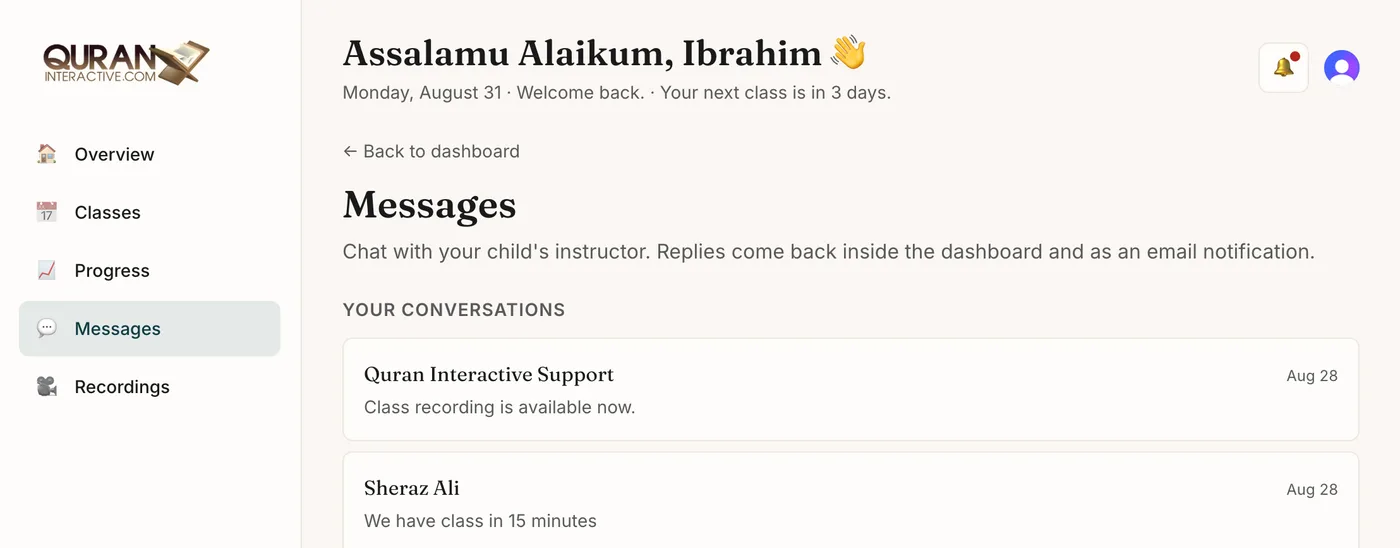
A direct line to the teacher
Ask your child's instructor a question between classes, or message support. Replies arrive in the dashboard and by email.
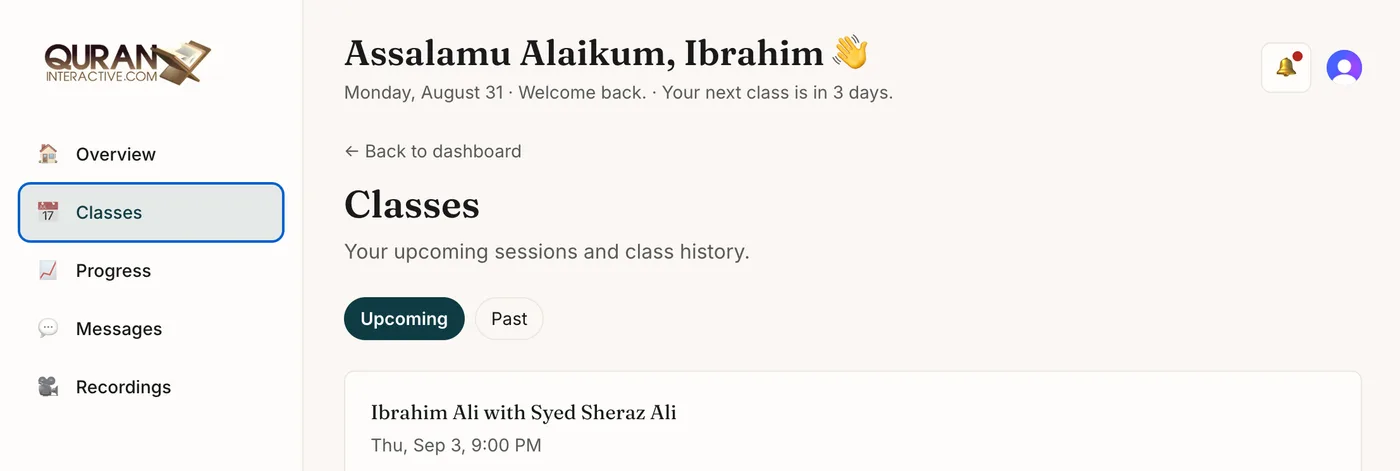
Upcoming and past, in one place
Everything scheduled, and everything already taught. Tell us if a time stops working and we move it.
What parents ask at this point.
Why do I need an account for a free trial?
I filled in the form but never finished the account. What now?
How long until my classes are confirmed?
Do I need to pay or enter card details?
Do I need to install anything?
Can I get a female teacher for my daughter?
Ready to start?
Two free 30-minute classes with a qualified teacher. No payment, no card, nothing to install.
Book your free trial →